Friday, 25 January 2008

Connecting to the internet!


I connected the broadband to a modem and then the modem to the computer. Once i had made this connection i then was able to follow the instructions to install the modem from the CD and then restarted the router and the computer. Once this was done it was connected to the internet.

Connecting a Printer

I needed to connect the computer to an epson stylus c60 printer. To do this i needed to download the driver from the epson website. After entering the type of printer to the website i then was able to download the driver, which was downloaded and then unzipped. The installation wizard then was displayed on the screen, which I then followed the simple insturctions.

Installing a DVD Drive

I have installed a DVD Drive in to the an computer. This was done by opening up the computer an then removing the case so an dvd drive can be inserted in to the computer. Because there was already an dvd drive already installed into the computer i needed to make this one a slave to the other which was the master. I did this by leaving the pin in to the dvd drive when it was installed, this is because it uses the same wire to connect to the motherboard as first dvd drive.

Wednesday, 12 December 2007

Using Useful Utilitys

The utilites are needed to look after the computer, if they are used right you can keep the computer running fast and far more cleaner than just leaving it to build up. You can download many utilitys from the interent for your computer, or you can use the ones that microsoft include in their own operating system. Which are the following:


  • Disc Cleanup
  • Disc Defrag
  • System Restore

Disk Cleanup:

This is part of the microsoft onboard utilitys, and it is designed to free up space on the hard drive. The proccess normaly takes from any where from 2-15 minutes. It envoloves doing the following tasks. It envolves scanning the hard drive for files that are no longer in use. The user also has the option of compressing files if they dont want them to be removed. This is recommended to do as it will keep the computer running fast.

Compression of old files
Temporary Internet files
Temporary Windows files
Downloaded Program files
Recycle Bin
Removal of unused applications or optional Windows components
Setup Log files
Offline files


Disk Defragment:
Windows Disk Defragmenter is another computer program which is included in Microsoft Windows. The programme was designed to increase access speed of the computer. The application rearranging files stored on a disk to occupy contiguous storage locations, or defragmenting. The purpose of defrags are to optimize the time that it takes to read and write files from the hard drive. This proccess normaly takes from anything from 10 minutes to 3 hours.


System Restore:

This is when you restore your computer to a previous pre set virsion of your computer. By default the computer will save the state of the computer ever month or when an important update happens. This is so you can return to a previous virsion if anything happens with the computer.

Friday, 30 November 2007

Setting a Firewall

Microsoft windows XP has a firewall in serves pack 2, so all i need to do is to make sure it is turned on and to check the settings which the screenshot below showWhy install a firewall?

I need to installl a firewall to keep the computer safe and fast. Firewalls will protect my computer from unwanted users, shielding it from unauthorized objects.

Doing a Defragment

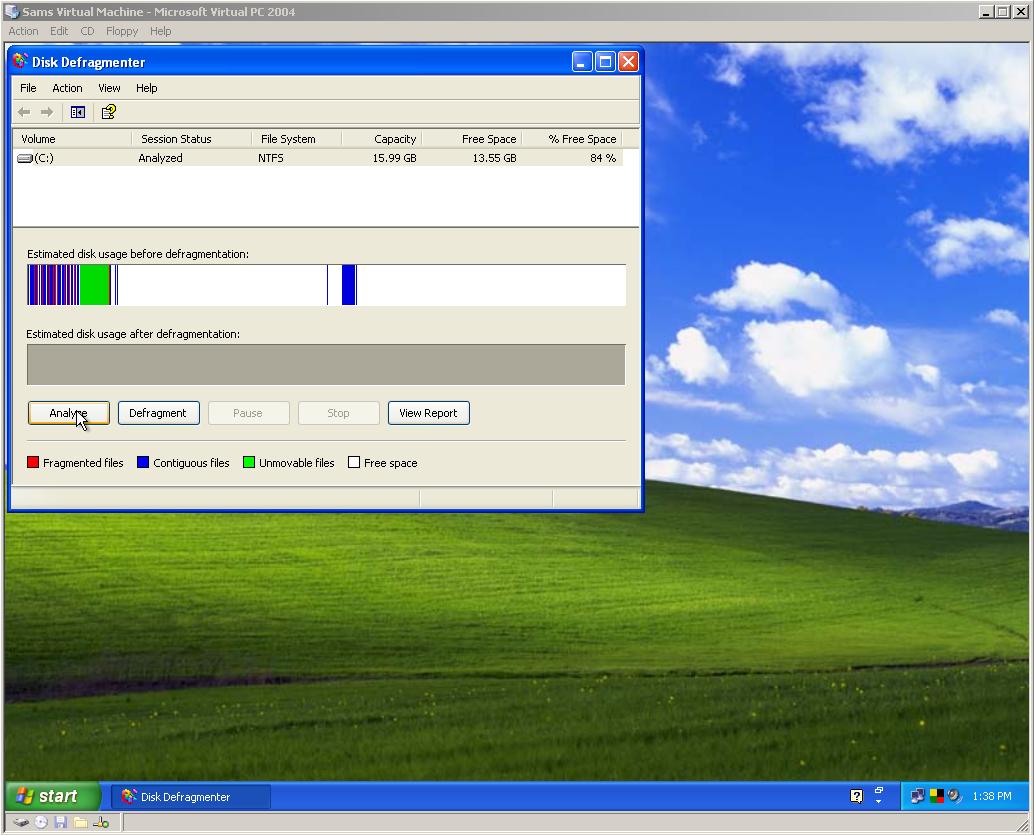
The first step of disk defrafmenter is to select which hard drive you would like to analyze, but in this case i only have one hard drive so i can only analyze one. To get to Disk Defragmenter you go to ALL PROGRAMS then ACCESSORIES then DISK DEFRAGMENTER The last step to defragmenter is to click defragment and then letting the computer do the rest.
Why do a Defrag?
Fragmentation affects the system performance, it will need to be done regularly to aviod slowing down the computer and keeping it quick and fresh. Windows Disk Defragmenter is designed to increase loading speeds and increase the amount of usable space. This process is done by rearranging the files stored on the hard disk to an appropert locations. The purpose of defrag in a whole is to optimize the time it takes to read and write files.

Connect to the web

Connecting to the proxy server oscar with the port 8080. This is done by going in to internet explorer options and then going to the tab connections, under this tab i then clicked lan settings and entered the server and port in to proxy servers address. Once theses settings have been applied i than can connect to the internet